Mark commits to sending the mockup to the client on Friday and
fixing the form.
Suggested tasks
Send the mockup to the clientMark · Friday
Fix the formMark
Transcript
00:00 — Microphone Hi, I’m Mark. I’ll send the
mockup to the client on Friday…
App preview and illustrative meeting notes. Nothing is recorded
here.
Designed to stay close to you
Your conversations. Your Mac.
Recording, transcription and summary are processed on your Mac,
with Apple technologies. Your meetings never go through an online
service.
No online AI. No ChatGPT, no Gemini, no other
service: Apple’s models run on your Mac.
Works offline. Once the models are installed,
no connection needed.
Nothing to sign up, nobody to invite. No
account, no bot in your call, no data collection.
Files are kept in Documents/Sillage. If you sync Documents with
iCloud, they may be synced there too, depending on your settings.
A small app. Room for what matters.
In the menu bar during the meeting. By your side when it’s time
to move forward.
There, without taking over.
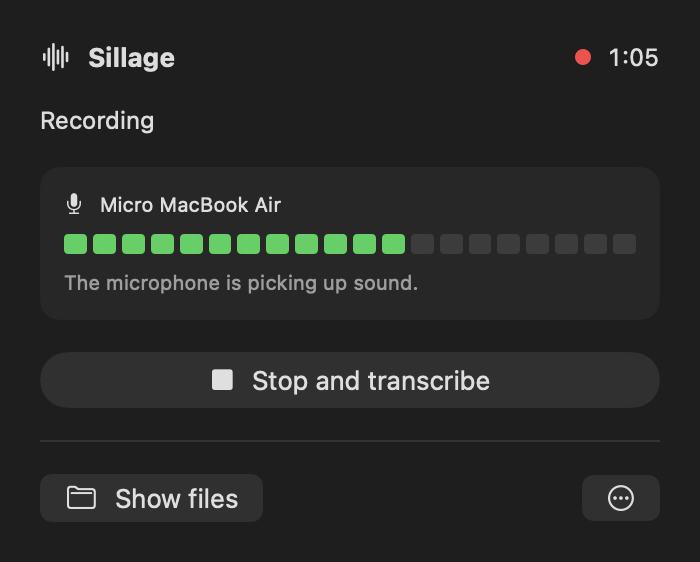
Start recording from the menu bar. A visible microphone level
confirms the sound is coming through.
Words turn into next steps.
When it’s over, find the transcript, a summary and the commitments
that were made. Suggested tasks you can review and adjust.
Meeting notes that belong to you.
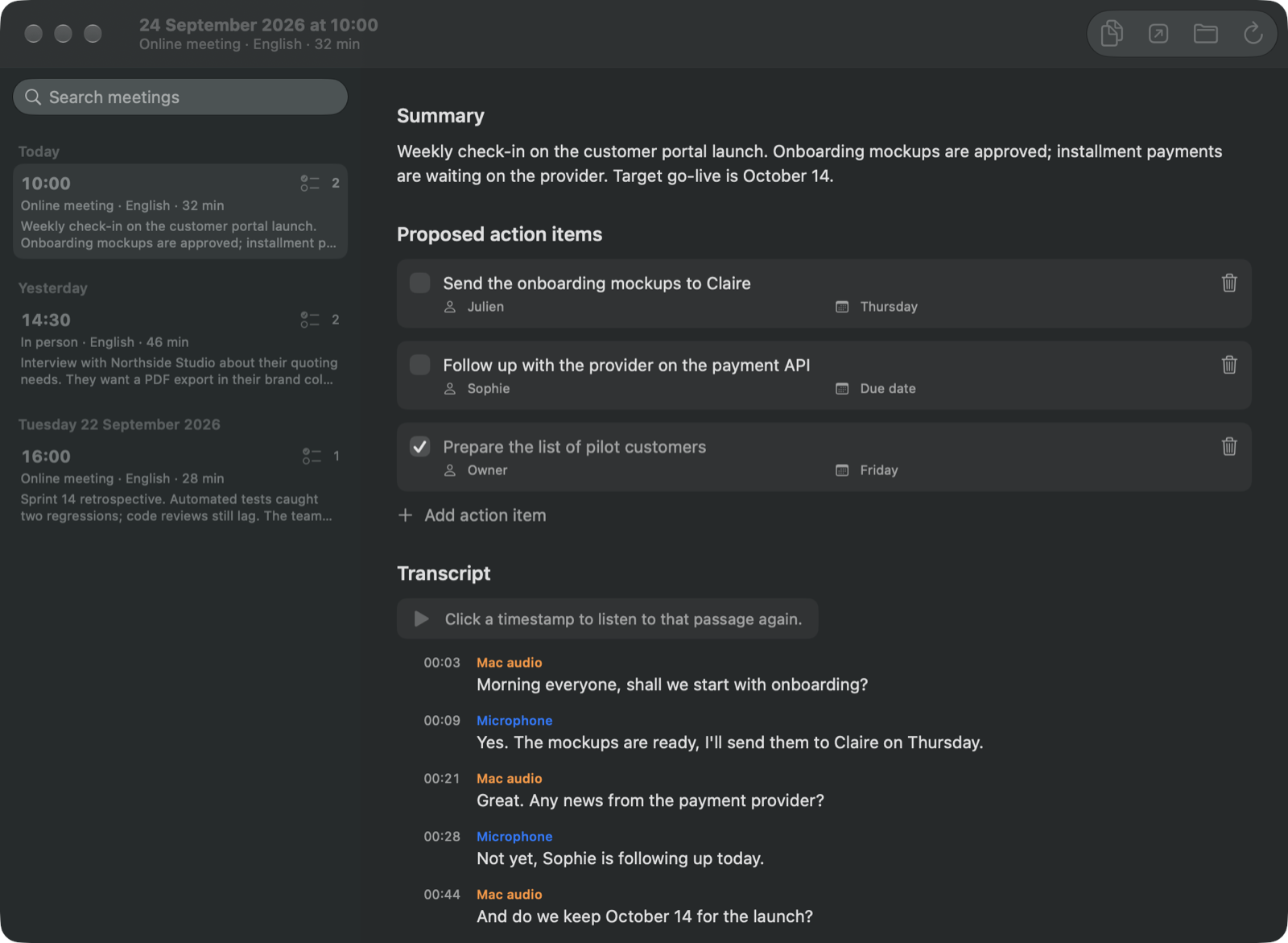
Find every meeting in the app, with its summary and action
items. Plus a plain Markdown file to copy or keep, in a folder
on your Mac.
Pick up the thread.
Every meeting, in one window. The right moment, one click
away.
App screenshot. Meetings and names are fictional.
Find it.
Search a word across the summaries, action items and transcripts
of all your meetings. Not just the titles.
Hear it again.
Click the timestamp of a line and the audio plays from that
moment. To check a number or a promise.
Take it with you.
Plain files in Documents/Sillage: audio, Markdown and JSON. Copy
them, keep them, delete them.
~/Documents/Sillage/
└── 2026-09-24T08-00-00Z-A1B2C3/
    ├── micro.caf           your microphone
    ├── systeme.caf         Mac audio, for online meetings
    ├── session.json        date, language, track status
    ├── compte-rendu.json   summary, action items, transcript
    └── compte-rendu.md     the same notes, in Markdown
Remote or around a table
The conversation changes. The gesture stays simple.
A call in your headphones. A catch-up with a colleague next to you.
Pick the right mode, then start Sillage.
Your microphone and your Mac’s audio are recorded on two tracks.
Your microphoneOn
Mac audioOn
Where does your audio go?
Four well-known tools, compared using their official websites.
Where your audio goes
Summary and action items
French
Size
Price
Sillage
On your Mac, offline
Yes, on the Mac (Apple Intelligence)
Transcription, summary and interface
3 MB¹
Free during the beta
Memory Notch
On your Mac, offline
No
Not stated
1.6 GB, models included
$79 one-time
Granola
Cloud: transcribed by Deepgram or AssemblyAI, summarized by OpenAI or Anthropic
It doesn’t recognize participants. “Microphone”
and “Mac audio” tell you where the sound came from, not who spoke.
It doesn’t transcribe live. The text arrives after
“Stop and transcribe”. How long it takes depends on the meeting
length and your Mac.
It doesn’t decide for you. Action items are
suggestions to review: the model can misread a conversation.
It only runs on a recent Mac. Apple silicon and
macOS 26 or later. Apple Intelligence must be on for the summary
and action items.
It only speaks two languages. English and French,
for both transcription and summary.
It doesn’t remove speaker duplicates. Without
headphones, the same sentence can be picked up by the microphone
and by the Mac audio.
A few details, before your next meeting.
Do my meetings go through ChatGPT, Gemini or another
service?+
No. Transcription uses Apple’s speech recognition and the
summary uses the Apple Intelligence model, both running on your
Mac. Sillage sends neither audio nor text to an AI service, and
has no API key or account.
Does Sillage work without a connection?+
Yes. The models just need to be on your Mac already: the Apple
Intelligence model, and the transcription model for the
meeting language, which macOS downloads the first time. After
that, recording, transcription and summary all work offline.
Which languages does Sillage understand?+
English and French. Pick the meeting language in the Sillage
panel; it defaults to your Mac’s language. It sets the
transcript, the summary, the tasks and the headings of your
meeting notes. The interface follows your Mac’s language.
What do I need to use Sillage?+
A Mac with Apple silicon and macOS 26 or later. Apple
Intelligence must be turned on and available to generate the
summary and tasks. The transcript stays available if the summary
can’t be created.
When is the transcript generated?+
After you click “Stop and transcribe”. Sillage shows its progress
while processing. The time it takes depends on the length of the
meeting and on your Mac. The speech model for the meeting
language may need to be downloaded the first time.
Can Sillage tell participants apart?+
For now, the “Microphone” and “Mac audio” labels show the audio
source, not who is speaking. In person mode, all voices are
grouped on the microphone track.
Can I find my notes in Apple Notes?+
You can already copy the meeting notes into your notes app. A
direct Apple Notes integration is one of the ideas being
considered; it isn’t available yet.
Can I download the app?+
Yes. Sillage is still in development and tested on real
meetings, but you can already try it: the “Download for Mac”
button gets you the latest version, signed and notarized by
Apple. Open the file, then drag Sillage to Applications.
A meeting ends. Its wake remains.
An independent project, born from the need to listen better
and to remember what was said.